The Sync.Land dock is live: music you are cleared to play
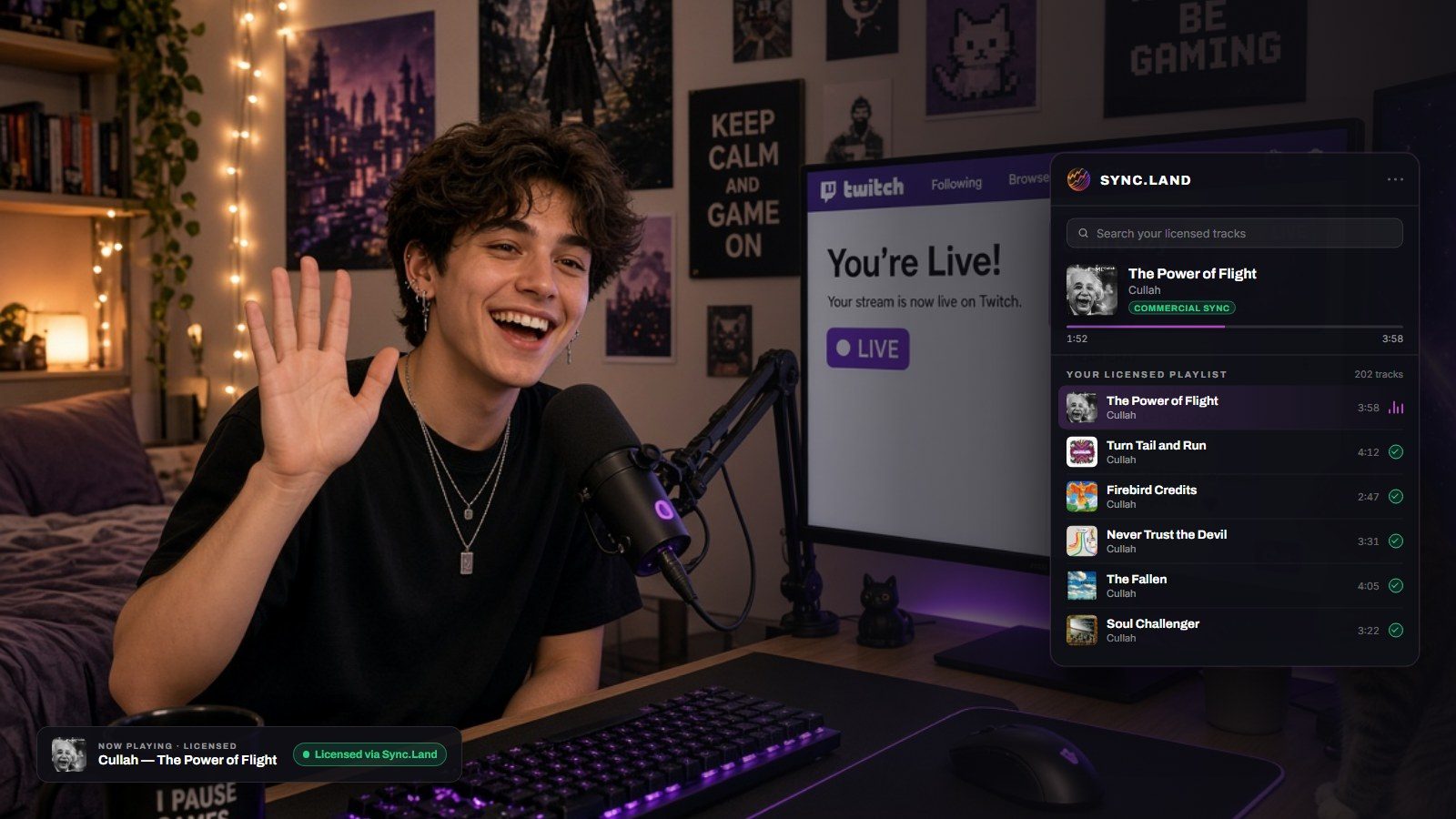
Streamers get muted and copyright-struck for playing music. The Sync.Land dock is now live inside Open Broadcaster Software, playing only the tracks you hold a licence for, with the proof on the stream itself.
Ask anyone who streams what they are most afraid of playing, and the answer is music. A track in the background is enough to get a video muted after the fact, a channel struck, or a whole archive pulled down. So most streamers solve it by giving up: royalty-free loops on repeat, or silence.
Today we are launching the Sync.Land dock, and the promise is simple: only music you are cleared to play.
It lives where you already work
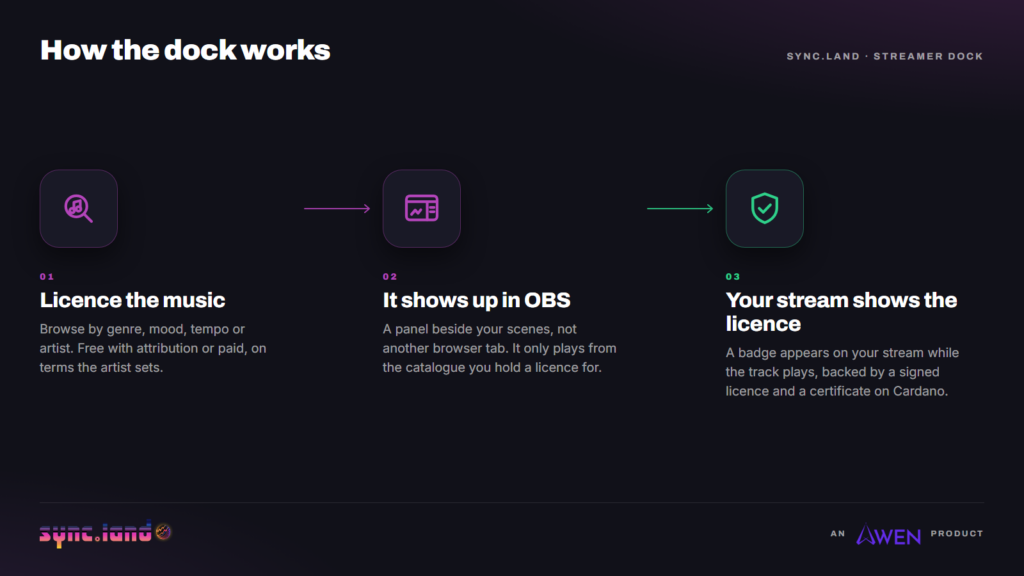
The dock is a panel inside Open Broadcaster Software, the free tool most people already stream with. It plays from one place: the catalogue you actually hold a licence for through sync.land. There is no separate playlist to keep in sync, and no moment where you have to remember whether a track was cleared.
Every track in the dock carries its licence with it. Your playlist shows what is cleared, and the stream carries a badge while it plays, so the rights are visible in real time to your viewers, to a moderator, and to anyone reviewing the recording later.
Setting it up
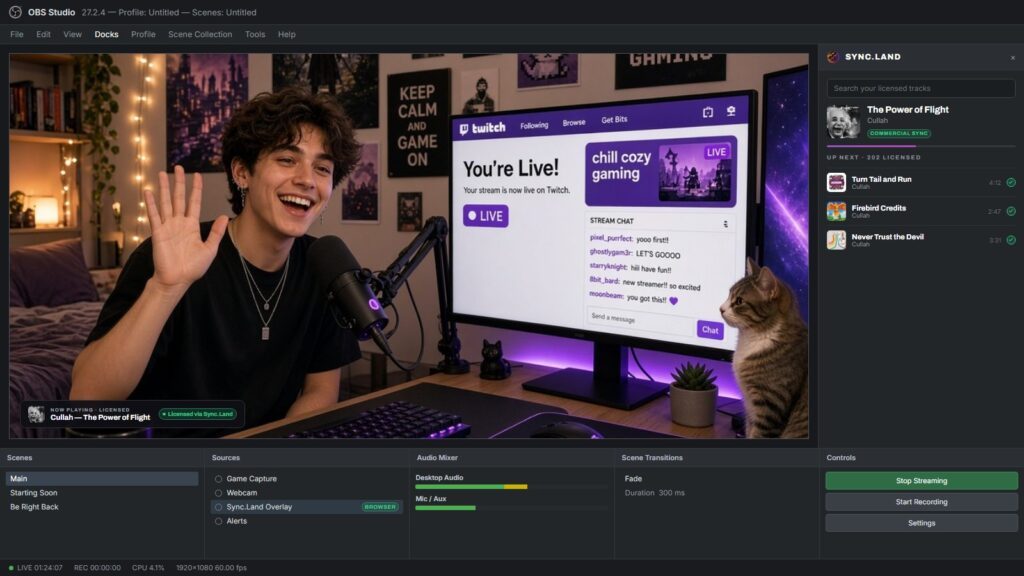
There are two pieces and you need both. The dock is the panel you operate. The overlay is what your viewers see. Adding the dock on its own will not put anything on screen.
Neither is a plugin. Both are features already built into OBS Studio, so there is nothing to install and nothing to restart. Budget about two minutes.
Part one: the dock, which is what you control
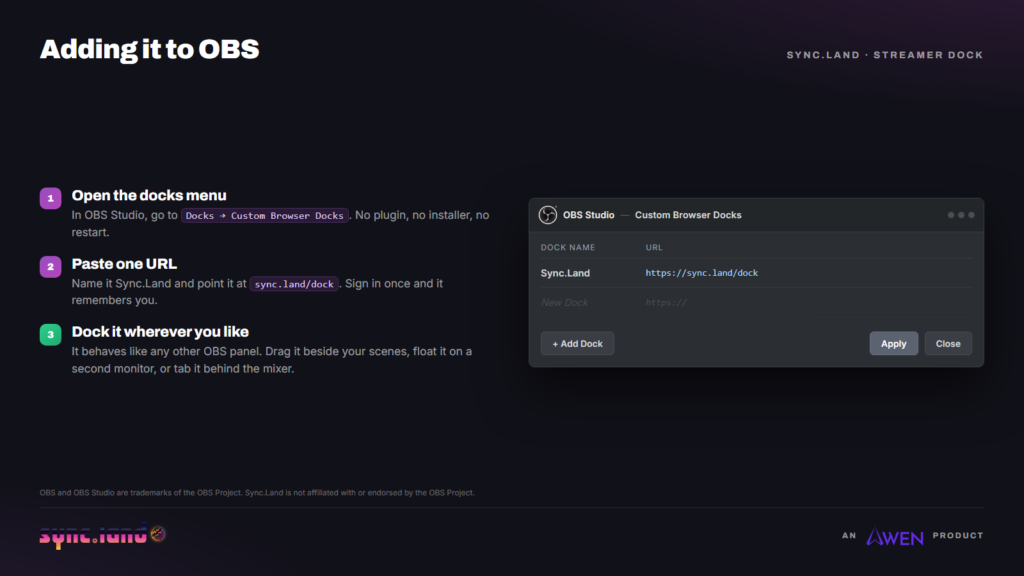
- Open the docks menu. In OBS, choose Docks, then Custom Browser Docks. On older versions this sits under View then Docks.
- Add a dock. Click + Add Dock, name it Sync.Land, and paste this into the URL column:
https://sync.land/dock
- Apply, then close. The panel appears straight away in your OBS window.
- Sign in once. The dock loads the catalogue you hold licences for and remembers you next time.
- Put it where you want it. It behaves like any other OBS panel. Drag it beside your scenes, float it onto a second monitor, or tab it behind the audio mixer.
If the panel opens blank, it is almost always the URL. It must be exactly https://sync.land/dock with nothing after it. If it loads but has nothing to play, there are no licences on the account yet, and the catalogue is where to start.
Part two: the overlay, which is what your viewers see
This is a browser source in your scene, separate from the dock. It is the piece that puts the licence on screen.
- Add a browser source. In Sources, click + and choose Browser.
- Paste the overlay URL. Note it is the dock URL with a mode on the end, not a different page:
https://sync.land/dock/?mode=overlay
- Match your canvas size. For most people that is 1920 wide by 1080 high.
- Untick two boxes. Turn off Shutdown source when not visible and Refresh browser when scene becomes active.
- Press play in the dock. The overlay fades in with the track, its licence, and the attribution line that licence requires. It hides again when you pause.
Do not skip the fourth step. Left on, those two settings make the overlay forget what is playing every time you switch scenes. It is the most common thing people get wrong, and it presents as a broken overlay rather than a wrong setting.
That attribution line is worth understanding rather than skipping past. Plenty of licences are free precisely because they require credit, and the overlay renders the right credit for whatever is playing, so you are not maintaining a list of names in a text source and hoping it stays in step.
Why the proof matters more than the music
Plenty of services will sell a streamer a subscription and a library. What they cannot usually give you is evidence. When a claim lands weeks later against a video you have already published, "I paid for a subscription" is an argument, not a receipt.
Sync.Land licences are issued as a signed document and a certificate recorded on Cardano. That means the licence for the track playing at a given minute of a given stream is verifiable by anyone, without asking us. The badge on the stream is not decoration. It points at something checkable.
What this is part of
Sync.Land is our peer to peer music licensing marketplace. Artists upload their catalogue and set their own terms, free with attribution or paid. Creators browse by genre, mood, tempo or artist, licence what they need, and get their proof.
The dock is what that looks like at the smallest possible scale. Most licensing is built around a finished film or an advertisement, where one piece of music is cleared once, slowly, by lawyers. A live stream is the opposite: many tracks, decided in the moment, by one person with no legal budget. Making that work is the interesting problem, and it is the one the dock was built to solve.
Sync.Land runs on Cardano, alongside Valt, our artist portal where musicians sell their work directly to the people who listen to it.
Get started
Two ways in, depending on which side of the licence you are on.
You stream
Licence what you want to play, add the dock to Open Broadcaster Software, and go live without wondering what will get struck.
You make music
Put your catalogue in front of people who need cleared music every night. You set your own terms.